WPfaker vs WP Dummy Content Generator: A Head-to-Head Comparison
TL;DR
WP Dummy Content Generator is a decent free plugin for basic post generation, but it stops at titles and body text — no custom fields, no real images, no Gutenberg blocks. If your projects involve ACF fields, client demos, or anything beyond vanilla posts, WPfaker handles the full spectrum from simple to complex without manual data entry.
You’re building a client site. The design is polished, the custom post types are registered, the ACF fields are mapped out. Everything’s ready — except the site is completely empty. And you can’t exactly walk into a client demo with placeholder text that says “Hello World.”
You need test data. Lots of it. And it needs to look like a real person actually used the site.
So you search for a plugin to help, and two names keep coming up: WP Dummy Content Generator and WPfaker. Let’s break down what each one actually does, where they shine, and where they’ll leave you filling in the gaps by hand.
The Problem Nobody Talks About
On the surface, generating test data sounds trivial. Just throw some Lorem Ipsum into a few posts and call it a day, right?
But if you’ve ever spent an afternoon manually typing fake property listings into ACF fields, or copy-pasting placeholder text into 30 portfolio entries just to see if your archive grid looks right — you already know. This kind of busywork is soul-destroying. It’s the kind of task that makes you question your career choices at 4pm on a Tuesday.
And honestly? Generating realistic test data for WordPress should be a solved problem by now. It’s 2026. Every WordPress developer needs this. So why does it still feel so painful?
What is WP Dummy Content Generator?
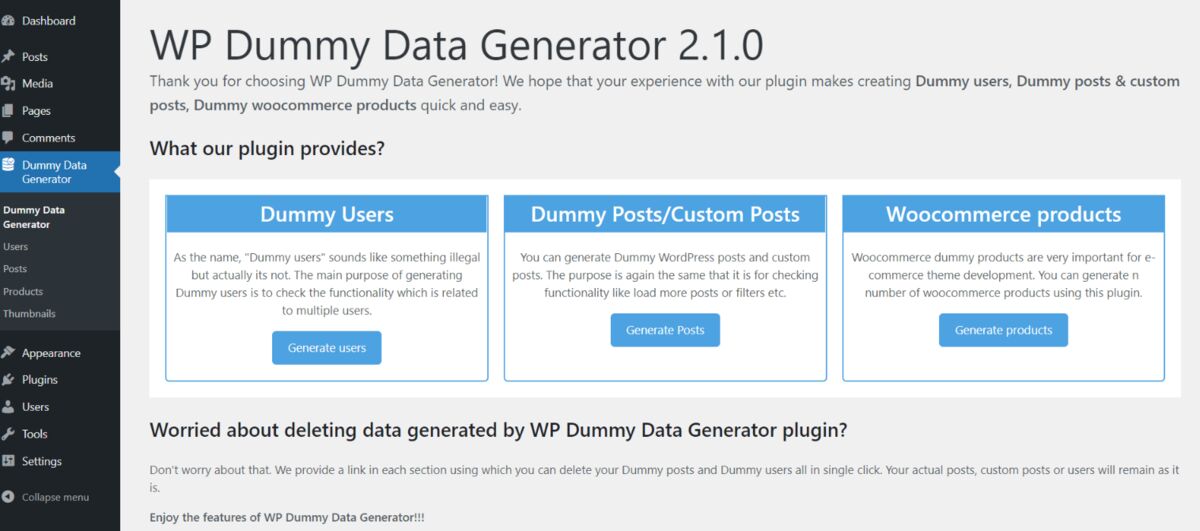
WP Dummy Content Generator is a free plugin with over 7,000 active installs and a solid 4.6/5 rating on WordPress.org. It’s been around for a while and version 4.0 brought a significant UI overhaul with a clean, card-based dashboard.
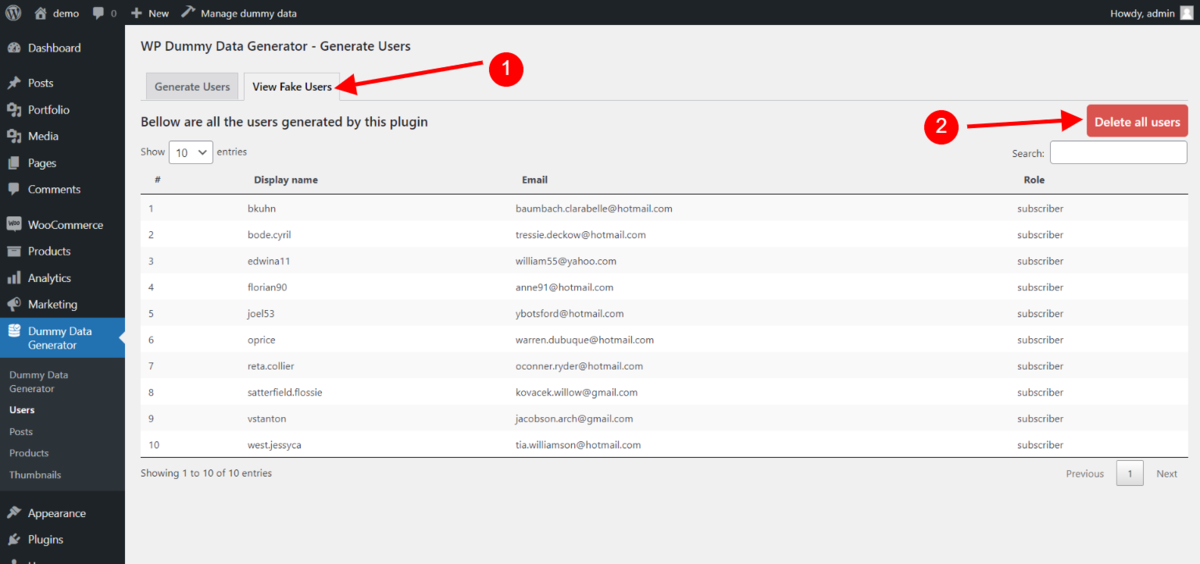
The workflow is simple: pick a content type (posts, pages, custom post types, or users), set a quantity, and hit generate. There’s a handy one-click delete option to wipe everything when you’re done. It supports WordPress Multisite and claims GDPR compliance.
For what it is, it works. If you just need some posts on the page so your theme doesn’t look abandoned, WP Dummy Content Generator delivers.
That said, it’s showing its age in ways that matter. Featured images are locked to 400x400 pixels. Content comes out in Classic Editor format, not Gutenberg blocks. Generated titles end with periods (which looks odd in a headline font). Taxonomy terms are all lowercase. And the last update was about 10 months ago. None of these are dealbreakers on their own, but they add up — especially when you’re trying to present something to a client.
If you’re exploring other free alternatives, our comparison with DemoPress covers another option worth knowing about.
What is WPfaker?
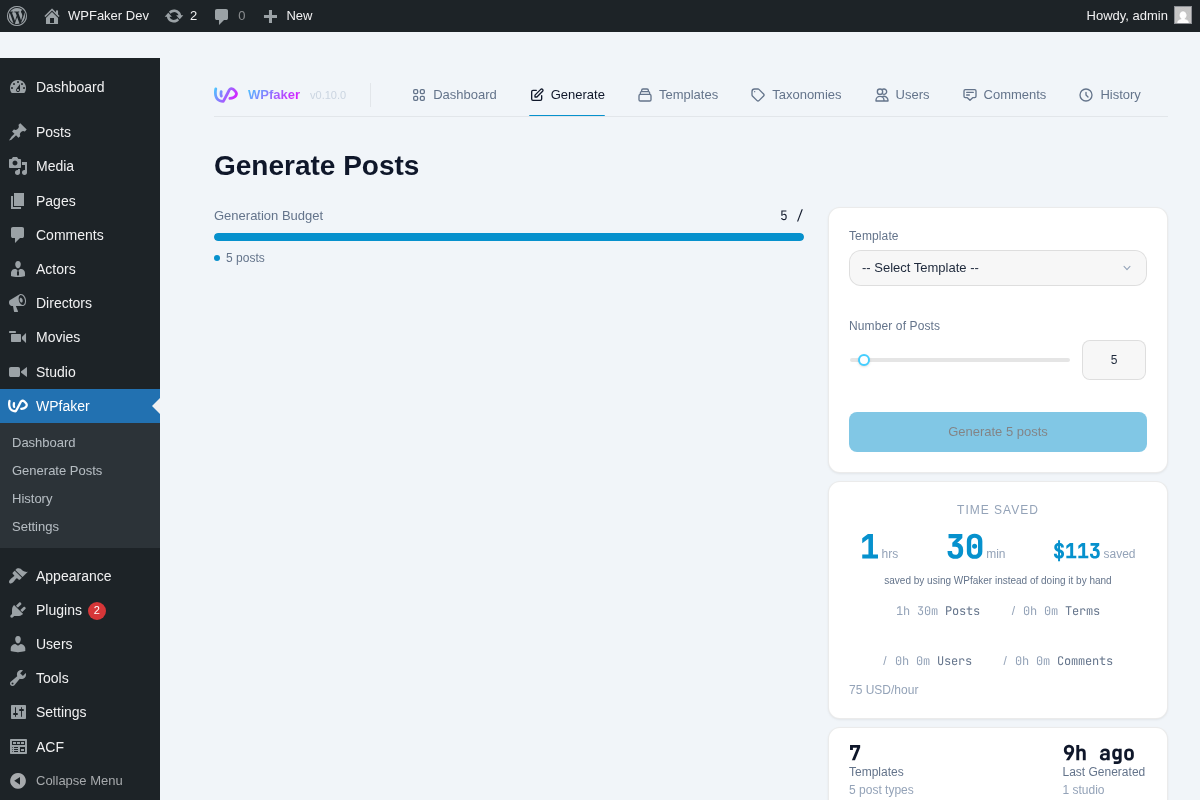
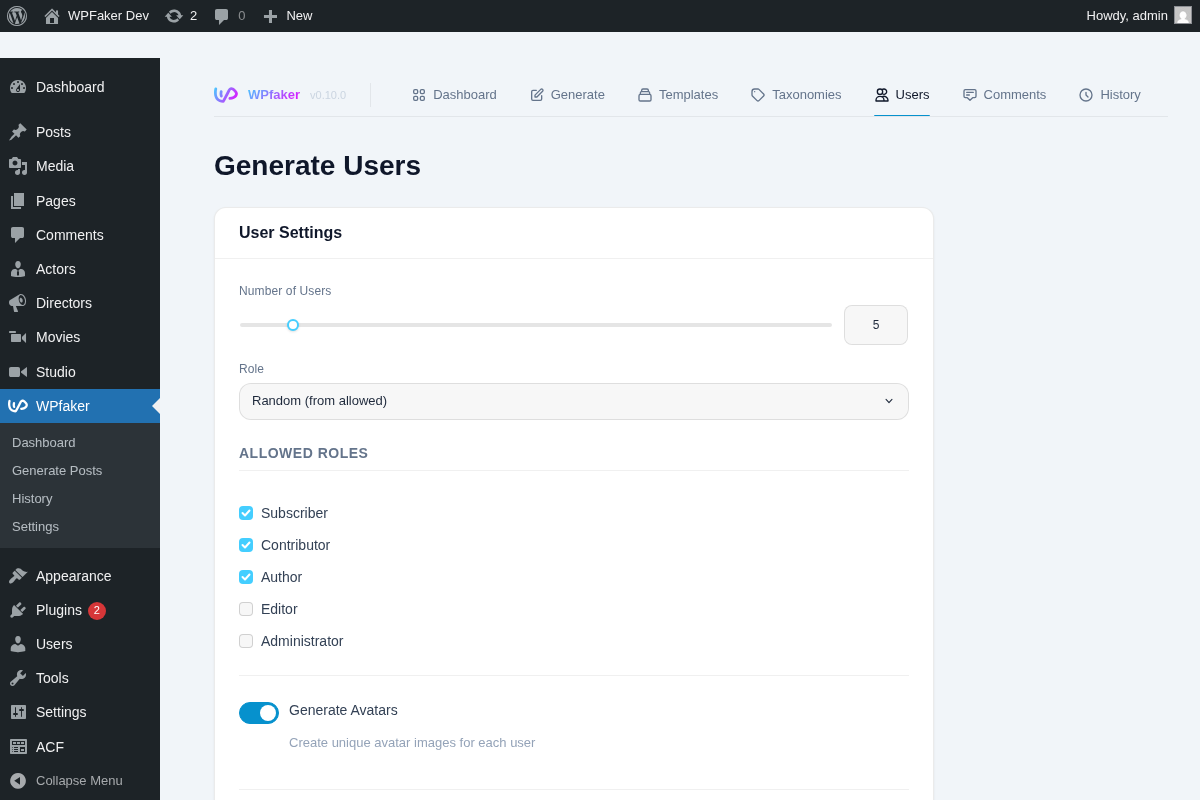
WPfaker is built around a different idea: your test data should look like someone actually used the site.
Whether you’re generating 20 blog posts for a theme preview or filling a real estate site with 200 property listings complete with ACF fields for price, location, and gallery images — WPfaker handles both ends of that spectrum. Simple use cases stay simple. Complex setups don’t require manual work. Custom post types, field plugins, relational data, hierarchical taxonomies — it all gets filled in automatically.
The key difference: WP Dummy Content Generator fills space. WPfaker simulates a real site with real usage patterns.
Feature Comparison
| Feature | WP Dummy Content Generator | WPfaker |
|---|---|---|
| Price | Free | $149/year (beta) |
| Posts & Custom Post Types | Yes | Yes |
| Users | Yes | Yes, with role selection and email domains |
| Taxonomies | Basic (lowercase) | Hierarchical depth control (1-5 levels) |
| Comments | No | Yes, with thread depth and author mix |
| Custom Field Plugins | None | ACF, JetEngine, Meta Box AIO, CPTUI, ACPT |
| Field Detection | — | 119 types, 700+ naming patterns |
| AI Field Detection | No | Gemini, OpenAI, Claude |
| Image Providers | 1 (placeholder, 400x400) | 3 providers (Unsplash, Pexels, Pixabay) |
| Image Dimensions | Fixed 400x400 | Custom (e.g. 1200x800 hero, 600x600 product) |
| Content Format | Classic Editor | Gutenberg blocks |
| Localization | English only | 13 languages (FakerPHP locales) |
| Template System | No | Yes, with inheritance |
| Batch Size | Limited | Up to 500 (dynamic capacity detection) |
| Cleanup | One-click delete all | Per-batch history with selective cleanup |
| Multisite | Yes | No |
Where WP Dummy Content Generator Shines
Credit where it’s due. WP Dummy Content Generator is free, straightforward, and requires zero configuration. Multisite compatibility matters if that’s your setup. The one-click cleanup is genuinely useful during rapid prototyping.
If your situation is “I just need some posts on the page so I can check my archive template” — WP Dummy Content Generator handles that fine. Not every project needs realistic test data. Sometimes good enough really is good enough.
It’s also a reasonable starting point if you’re new to WordPress development. The learning curve is essentially zero.
Where You’ll Outgrow WP Dummy Content Generator
But then there are the moments where “good enough” falls apart:
-
Photography portfolio with broken layouts. Your hero section is designed for full-width, high-resolution images. WP Dummy Content Generator gives you 400x400 pixel placeholders. Your beautiful layout looks broken, and the client sees a wireframe instead of a portfolio.
-
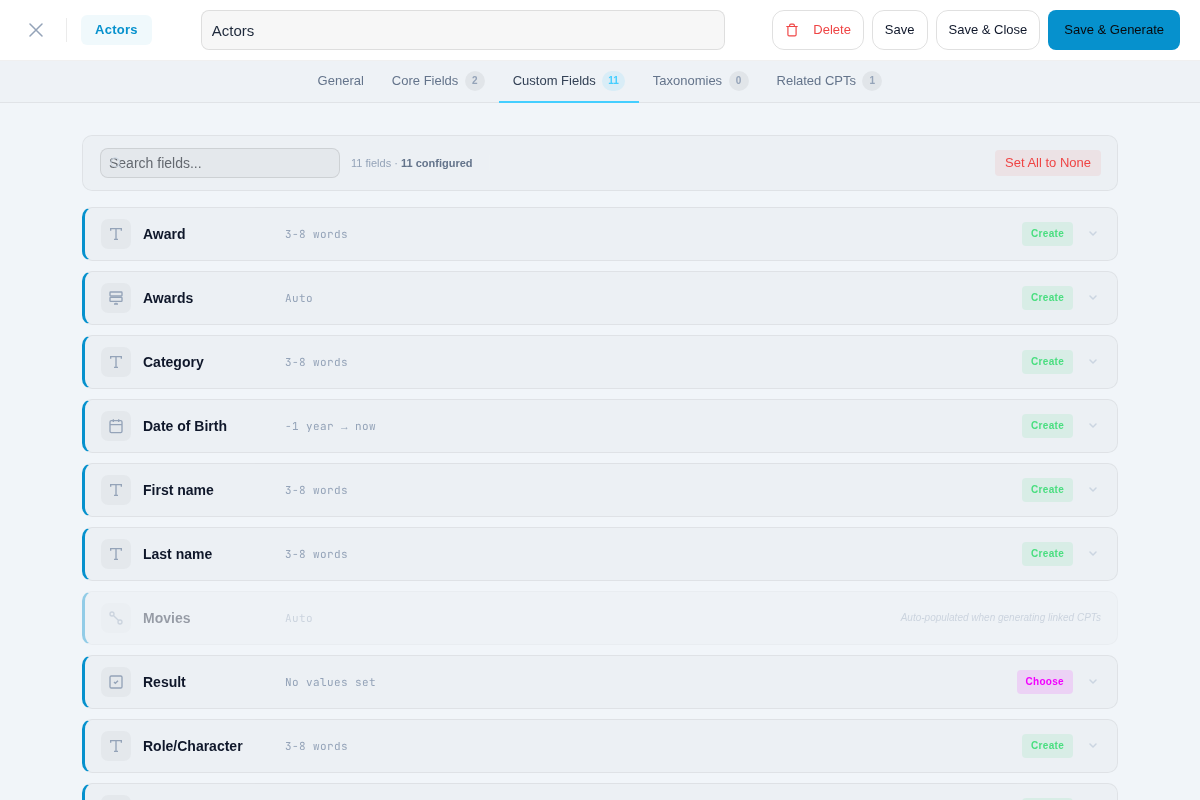
Custom fields left completely empty. Your client’s FAQ custom post type has ACF fields for “question,” “answer,” and “category.” WP Dummy Content Generator creates the posts — but those custom fields? Completely empty. You’re filling them in by hand, one by one.
-
Identical placeholder images everywhere. You generate 50 posts and scroll through the archive. Every featured image is the same gray placeholder square. The client’s going to ask why the site looks like a prototype. With WPfaker, you get real photos from 3 providers (Unsplash, Pexels, Pixabay) in the dimensions your theme actually needs.
-
Titles that look like formatting mistakes. Those generated titles with trailing periods? They look fine in body text. But set them in your 48px heading typeface on the homepage and suddenly “Lorem ipsum dolor sit amet.” reads like a bug.
-
No Gutenberg block support. If you’re building with the block editor (which is most sites at this point), Classic Editor content doesn’t test what matters. Your block patterns, your custom block styling, your responsive layouts — none of that gets exercised with Classic Editor output.
-
Multilingual projects. Building a site in German, French, or Japanese? English-only Lorem Ipsum doesn’t test character encoding, text length variations, or locale-specific formatting. WPfaker’s 13 FakerPHP locales generate contextually appropriate data — German street addresses for a German real estate site, Japanese names for a Japanese directory.
-
Relational data between post types. Your “Event” CPT references a “Venue” CPT through a relationship field. WP Dummy Content Generator doesn’t know those fields exist. WPfaker detects the relationship and links the posts automatically.
These aren’t edge cases. They’re Tuesday afternoon on a client project. If you’re working with developer-oriented tools, our comparison with Easy Populate Posts covers a more technical alternative that still falls short on custom fields.
The Real Difference
Here’s what it comes down to: WP Dummy Content Generator fills your site with content. WPfaker fills your site with content that looks like someone actually used the site.
WP Dummy Content Generator gives you the shape of data — the right number of posts in the right places. WPfaker gives you the texture. Real photos from Unsplash in the right dimensions. German street names on a German real estate site. A “phone_number” ACF field that contains an actual formatted phone number, not empty space.
The difference shows up in two specific moments: when you share your screen with a client, and when you’re debugging layout issues that only appear with realistic content. A 400x400 placeholder won’t reveal that your image gallery breaks with landscape photos. A one-line Lorem Ipsum title won’t expose the text overflow bug that appears with real headline lengths.
That’s when realistic test data quietly does its job by staying invisible. The best test data is the kind nobody notices because it just looks like a real site.
For a broader picture, check out our WPfaker vs FakerPress comparison.
What Happens Next
You’ve got two paths in front of you.
Keep doing what you’re doing — manually entering test data, explaining away placeholder images in client demos, spending time on busywork that doesn’t move the project forward. It works. It’s just slow and tedious.
Or set up your test data once, save it as a reusable template, and never think about it again. Generate 200 property listings with filled ACF fields, real photos, and proper taxonomies in under a minute. Walk into every client demo with a site that looks lived-in from day one.
WP Dummy Content Generator is a solid free option when your needs are simple. But if your projects involve custom fields, real images, and clients who notice the details — give WPfaker a try. Your future self (the one who used to spend afternoons typing fake addresses into ACF fields) will thank you.
Frequently Asked Questions
Does WP Dummy Content Generator support custom fields?
No. WP Dummy Content Generator only generates core WordPress data — post titles, body content, and basic taxonomies. It has no awareness of custom field plugins like ACF, JetEngine, or Meta Box AIO. Any custom fields on your posts will remain empty after generation. WPfaker detects and fills 119 field types across 5 field plugins automatically using pattern matching and optional AI detection.
Is WP Dummy Content Generator still updated?
The last update was roughly 10 months ago as of early 2026. The plugin still works on current WordPress versions, but it lacks Gutenberg block support, modern image handling, and other features that reflect how WordPress development has evolved. For actively maintained projects, the gap between Classic Editor output and block-based content keeps growing.
Can I use WP Dummy Content Generator with Gutenberg?
WP Dummy Content Generator creates content in Classic Editor format only. The generated posts won’t contain Gutenberg blocks, so you can’t test block patterns, block-based layouts, or full-site editing templates with its output. If your theme or project relies on the block editor, the test data won’t reflect how real content will look or behave on the front end.

Written by
Michael Grossklos
WordPress developer and creator of WPfaker. Building tools that make WordPress development faster.