WPfaker vs Easy Populate Posts: WordPress Test Data Tools Compared
TL;DR
Easy Populate Posts is a solid free plugin for PHP developers who want hook-based control over post generation. But it only generates posts — no users, comments, or taxonomy terms. If you need a complete test environment with all content types, automatic field detection, and reusable templates, WPfaker handles the full picture from one interface.
You’re the kind of developer who wants control. When a plugin generates test data, you want to shape exactly what goes in — the field values, the structure, the relationships between content types. The question isn’t whether you want precision. It’s whether you want that precision through code or through a UI.
That’s the real difference between Easy Populate Posts and WPfaker. And it’s worth understanding before you pick one.
The Problem
Generic test data doesn’t test anything useful. A hundred posts filled with lorem ipsum won’t tell you if your archive page handles long titles, if your custom fields render correctly, or if your taxonomy filters actually work with realistic content.
You need data that matches your actual field structure. Data that looks like what your client will eventually enter. But configuring that — mapping every field, every meta key, every relationship — takes time you don’t have. Especially when you’re juggling three client projects and a deadline next Tuesday.
So you end up choosing between two approaches: write PHP hooks that give you total control, or use a visual tool that detects your fields and lets you configure them without code. Both are legitimate strategies. The right one depends on how you work.
What is Easy Populate Posts?
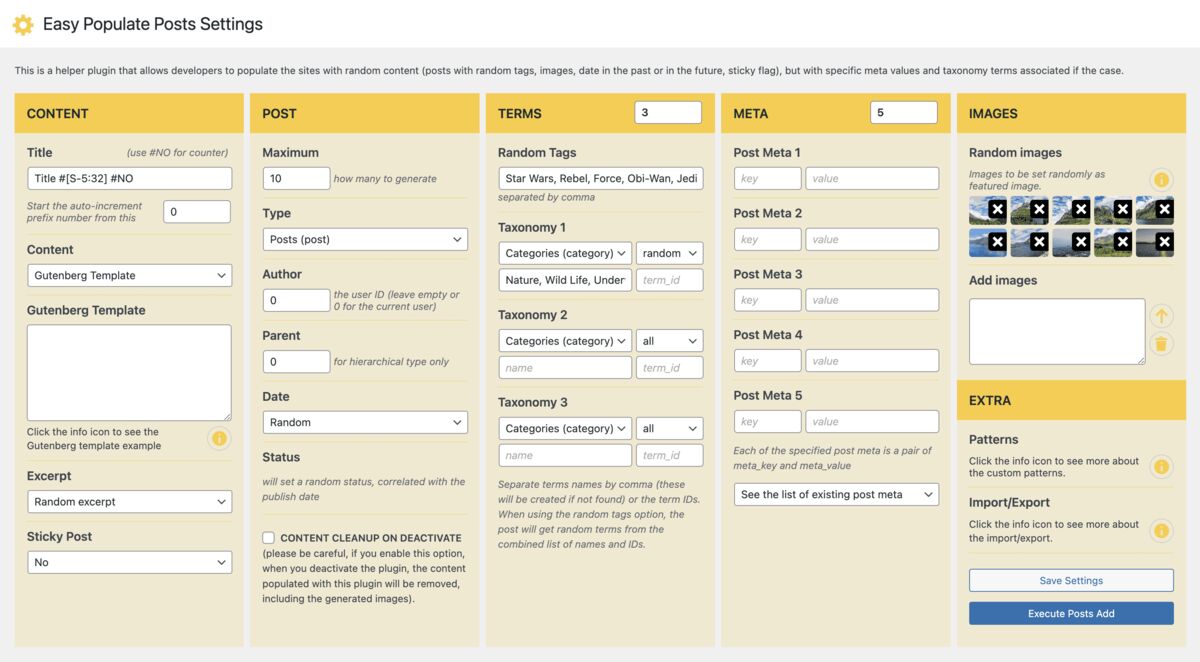
Easy Populate Posts is a free, open-source plugin by Iulia Cazan. It has 200+ active installs with a perfect 5/5 rating across 10 reviews — a small but loyal following. The latest release shipped in January 2026 with PHP 8.4 compatibility, and the plugin is actively maintained.
This is a developer’s developer plugin. Instead of trying to handle every field type through a UI, it gives you 17+ action and filter hooks. You write PHP to customize every stage of generation — from preparing post data to attaching images to shaping meta values. It supports Gutenberg templates and has a basic ACF filter hook.
If you think in add_filter() and add_action(), you’ll feel right at home. The trade-off: it only generates posts. No standalone users, comments, or taxonomy terms. If you’re comparing free alternatives, you might also want to look at our WP Dummy Content Generator comparison for another approach to the same problem.
What is WPfaker?
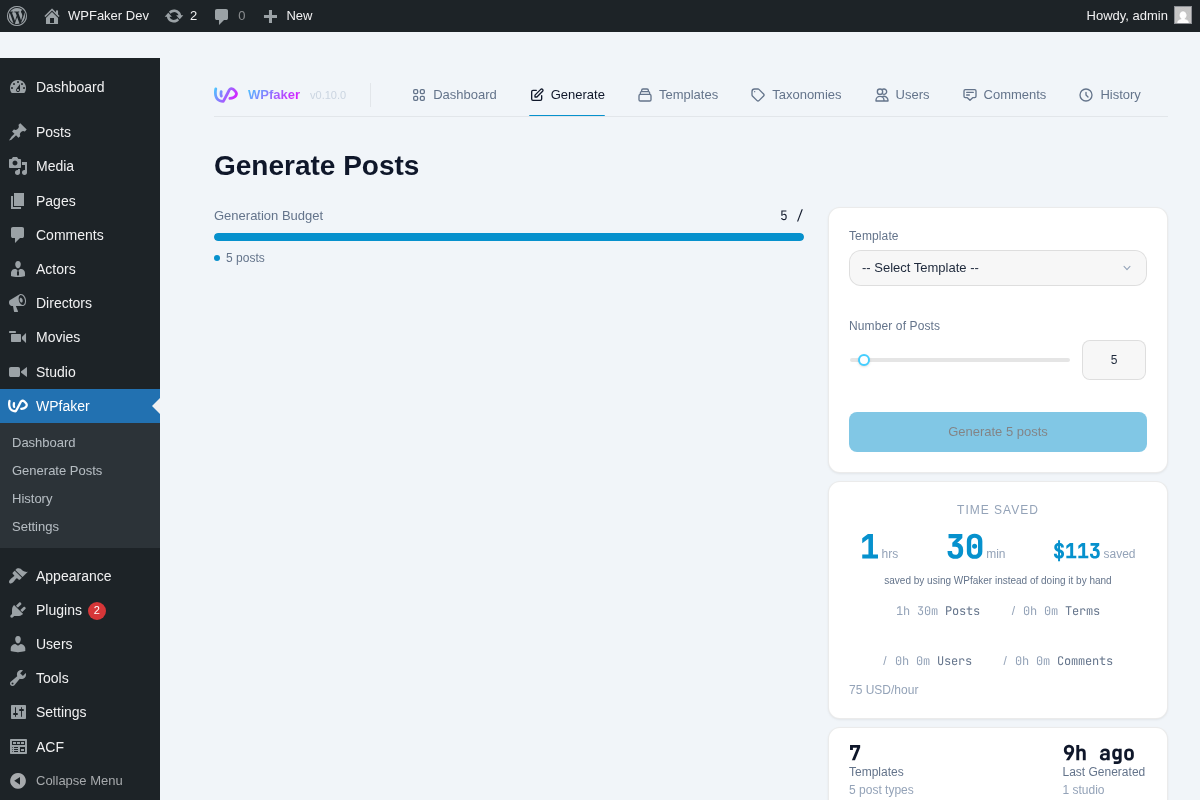
WPfaker takes the visual approach. You configure templates in a UI, WPfaker detects your fields automatically, and you hit generate. No PHP required — but the results are just as precise.
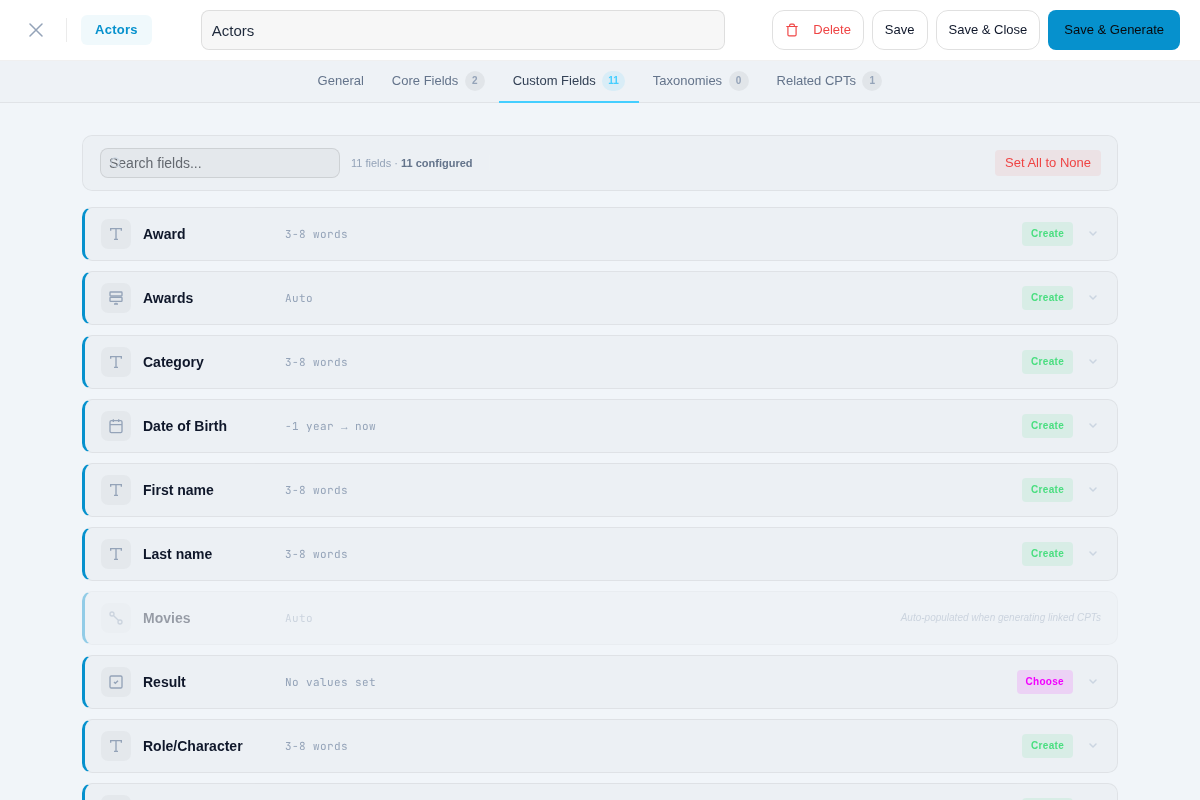
Its 119 detection types and 700+ regex patterns analyze your field names across 13 languages and assign appropriate data generators. A field named phone_number gets phone numbers. A field named empresa gets company names. For anything ambiguous, optional AI detection fills the gaps. You can override everything in the template editor, but the defaults handle most cases without configuration.
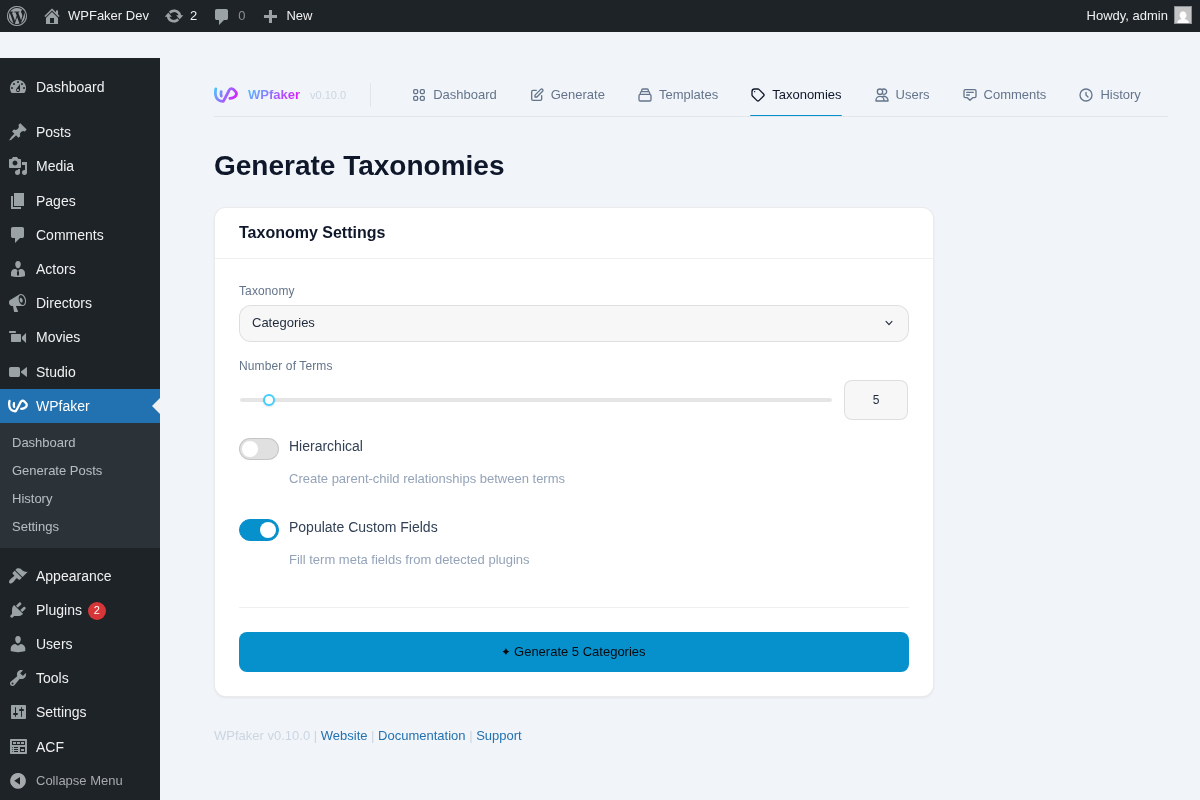
It covers all WordPress content types from a single interface: posts, users, comments, and taxonomy terms.
Feature Comparison
| Feature | Easy Populate Posts | WPfaker |
|---|---|---|
| Price | Free | $149/year |
| Posts & Pages | Yes | Yes |
| Custom Post Types | Yes | Yes |
| Users | No | Yes |
| Comments | No | Yes |
| Standalone Taxonomy Terms | No | Yes |
| Featured Images | Yes | Yes (3 providers: Unsplash, Pexels, Pixabay) |
| Custom Fields/Meta | Via hooks | 119 detection types, 700+ patterns |
| ACF Support | Basic (via spp_filter_acf_fields hook) | Full (Free + Pro, Repeater, Flexible Content, Gallery) |
| Developer Hooks | 17+ actions/filters | REST API |
| AI Field Detection | No | Yes (Gemini, OpenAI, Claude) |
| Template System | No | Yes (with inheritance & variants) |
| Relational CPT Resolution | No | Yes (automatic 3-pass) |
| Gutenberg Templates | Yes | Editor-agnostic content |
| Content Variations | No | Yes (4 profiles) |
Two Philosophies: Code vs UI
This is the most interesting part of the comparison. Not which plugin has more features — but how each one thinks about the problem.
Easy Populate Posts says: “Here are hooks. Write PHP to customize everything.” WPfaker says: “We’ll detect your fields and let you configure per-field in a template editor.” Both are valid. Different developers, different preferences.
Here’s what it looks like in practice.
With Easy Populate Posts, you add a spp_filter_acf_fields filter to your theme’s functions.php, map each field manually, and define exactly what data goes where. Say you’re building a real estate site with a property CPT. You’d write a filter that maps price to a random number between 200,000 and 1,500,000, square_footage to a range of 800–4,000, and address to a formatted street string. You deploy this across sites via your starter theme. Every new project gets the same hooks, the same mappings, the same level of control. It’s code you can version, review, and share with your team.
The upside: you own every line of logic. Conditional values, complex mapping rules — it’s all PHP you control. The downside: you write every line of logic. A new CPT means a new filter. A complex site with 8 CPTs and 40 fields can take an hour of PHP work.
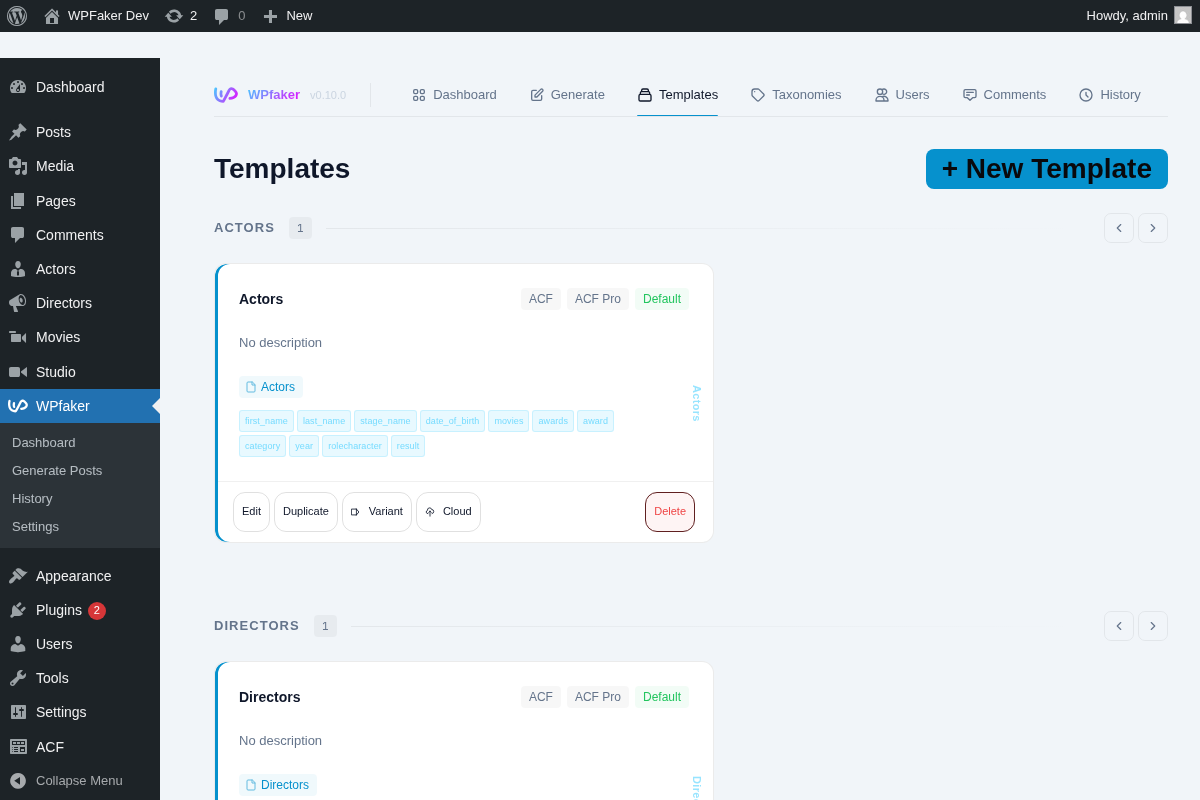
With WPfaker, you open the template editor, see your fields already detected with smart defaults, and adjust the edge cases. That same real estate site? WPfaker sees price and assigns a currency generator, square_footage gets a number range, address gets a street address. You configure the exceptions, not the obvious ones.
For that 8-CPT, 40-field site, you’re looking at minutes instead of an hour. And if those CPTs reference each other — properties linked to agents, agents linked to offices — WPfaker’s automatic 3-pass relational resolution handles the connections. With EPP, you’d generate each CPT separately and wire the relationships manually.
Neither approach is wrong. They reflect different workflows. If you’re curious how this compares to other visual tools, our FakerPress comparison covers another popular alternative.
Content Scope
This is where the gap widens. Easy Populate Posts focuses exclusively on post generation — and it does that well. Configurable post types, statuses, publish dates, parent posts, sticky flags, Gutenberg templates, taxonomies, images, and post meta are all covered.
But a real WordPress site isn’t just posts. If you need a full test environment — posts, 50 users with different roles, 200 comments distributed across posts, a populated taxonomy hierarchy — you’ll need additional tools alongside Easy Populate Posts.
Consider a theme demo setup. You need users with different roles, comments with threaded replies, and a taxonomy tree three levels deep. None of that is possible with Easy Populate Posts alone.
WPfaker handles all of that from one plugin. Posts, users, comments, taxonomy terms, and the relationships between them. Having everything generated together means your test environment actually behaves like a real site.
For projects that also involve AI-generated content, our Content Forge comparison explores how AI-powered tools approach the same challenge differently.
Where Easy Populate Posts Shines
Easy Populate Posts is genuinely impressive in its lane:
- You’re a PHP developer who prefers hook-based control over UI configuration
- You embed test data in your starter theme — hooks travel with your codebase
- You only need posts — not users, comments, or standalone taxonomy terms
- Budget matters — completely free and open source
- Gutenberg template support — EPP handles block-based content templates natively
Where You’ll Outgrow Easy Populate Posts
The cracks show when your projects get more complex:
- Multiple content types — once you need users, comments, and taxonomy terms alongside posts, you’re stitching together multiple tools
- Complex ACF/Meta Box AIO setups — EPP’s single
spp_filter_acf_fieldshook requires you to manually map every field. With Repeaters, Flexible Content, and Gallery fields, that code grows fast - Relational data — if your CPTs reference each other (movie → actor, product → brand), there’s no automatic resolution. You manage IDs yourself
- Client handoff — handing a client or junior dev a
functions.phpfull of data generation hooks isn’t as clean as sharing a JSON template export - Non-English field names — EPP doesn’t auto-detect field semantics, so
telefonnummeris just another meta key you map manually. WPfaker’s 13-language detection handles it automatically
The Real Difference
It’s tempting to frame this as “free vs paid” or “simple vs complex.” But the real difference is about where the intelligence lives.
With Easy Populate Posts, the intelligence lives in your code. You write the mappings. The plugin executes them faithfully. It scales as far as your willingness to maintain PHP.
With WPfaker, the intelligence lives in the detection engine. 700+ patterns across 13 languages assign generators before you touch a thing. You correct the 5% it gets wrong instead of configuring the 100%.
For one site with a handful of custom fields, Easy Populate Posts delivers everything you need for free. For an agency managing 20 client sites, WPfaker’s detection and template system pays for itself in the first project.
What Happens Next
Both tools respect your time as a developer. Easy Populate Posts gives you building blocks and trusts you to assemble them with PHP. WPfaker tries to handle the assembly automatically, letting you step in only where the defaults need adjusting.
The choice comes down to how you prefer to work. If hooks and PHP filters are your natural language, Easy Populate Posts is a well-maintained, thoughtfully designed free option. If you’d rather configure visually, handle all content types in one place, and skip the custom code — that’s what WPfaker was built for.
Either way, you end up with test data that actually tests something. And that’s the whole point.
Ready to try the visual approach? Check out WPfaker’s pricing and see if it fits your workflow.
Frequently Asked Questions
Does Easy Populate Posts support ACF?
Only through a single filter hook (spp_filter_acf_fields). You write PHP to map each field manually. Basic text and number fields work fine, but Repeaters, Flexible Content, and Gallery fields require significant custom code. WPfaker detects and populates all ACF field types automatically.
Can Easy Populate Posts generate users?
No. It focuses exclusively on post-type content — posts, pages, and custom post types. No standalone users, comments, or taxonomy terms. If your testing requires multiple user roles or comment threads, you’ll need additional tools alongside EPP.
Is Easy Populate Posts still maintained?
Yes. Its most recent update shipped January 2026 with PHP 8.4 compatibility. It has a perfect 5/5 rating on WordPress.org across 10 reviews. While the install base is small (200+ active installs), the hook-based architecture keeps it stable across WordPress versions.

Written by
Michael Grossklos
WordPress developer and creator of WPfaker. Building tools that make WordPress development faster.