WPfaker vs FakerPress: Which WordPress Test Data Plugin Should You Use?
TL;DR
FakerPress is a solid free option for basic posts, users, and comments — and it’s been reliable for over a decade. But the moment you need ACF support, relational fields, or realistic-looking test data, you’ll hit its ceiling fast. If your project has custom post types with custom fields, WPfaker pays for itself on your first real project.
You just finished registering your custom post types. Maybe it’s a simple FAQ section with a question and answer field. Maybe it’s a portfolio with an image gallery and client testimonials. Maybe it’s a full property listing site with 40 ACF fields, map coordinates, and price ranges. Either way, you’re staring at an empty WordPress admin, your theme looks broken without content, and you need test data. Not tomorrow. Now.
The Problem Every WordPress Developer Knows
On the surface, the problem is simple: you need realistic test data to see if your theme or plugin actually works. Empty states tell you nothing. You need posts with featured images, filled meta fields, proper taxonomy assignments — the whole picture.
But the real problem? Manually creating test posts is soul-crushing grunt work. You’ve done it. I’ve done it. Copying Lorem Ipsum into 30 posts, uploading placeholder images one by one, filling out custom fields by hand. Somewhere around post number 12, you start questioning your career choices.
Here’s the thing: developers should be building things, not acting as human data entry machines. That’s what test data plugins exist for. The two main options in the WordPress space are FakerPress and WPfaker. Let’s look at both honestly.
What is FakerPress?
FakerPress is the most popular WordPress test data generator, and it’s earned that position. Over 10,000 active installs, a 4.9/5 rating across 205 reviews, and more than a decade of active development. That kind of track record means something.
It’s built on FakerPHP, it’s free, and it’s open source. You can generate posts, users, comments, and taxonomy terms out of the box. It gives you 20 meta data types for custom fields, a REST API for automation, and truly random HTML content generation — which is actually useful for catching rendering bugs in themes that need to handle arbitrary markup.
FakerPress requires PHP 8.1+ and was last updated in May 2025 with PHP 8.4 compatibility. It’s actively maintained, well-documented, and has a large community behind it. If you’ve ever searched for “WordPress test data,” FakerPress probably came up first.

What is WPfaker?
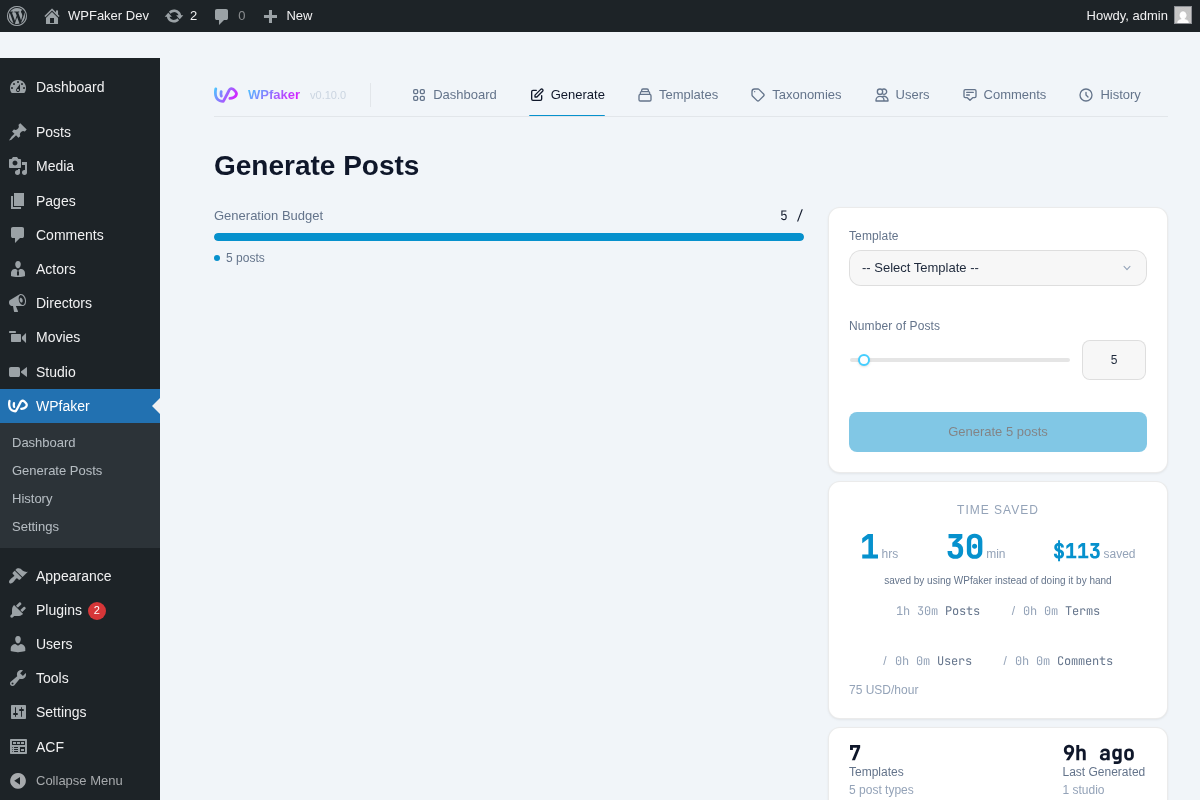
WPfaker is a premium plugin ($149/year) that works across the full spectrum of WordPress development — from the simplest blog to the most complex multi-CPT architecture.
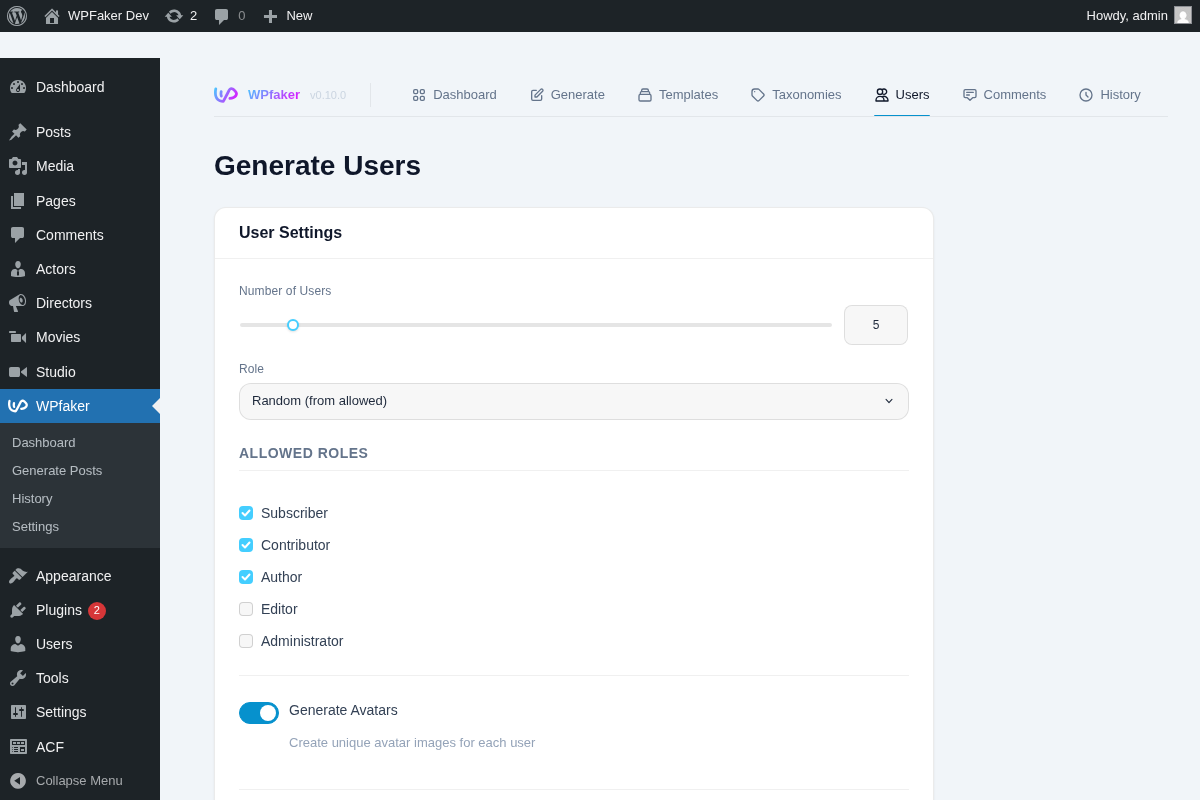
Simple use cases: You want 30 FAQ posts with featured images? One click. You need a blog filled with realistic articles to test your theme? Done. A portfolio CPT with project names, URLs, and client logos? Handled. Even if you only have standard posts and pages, WPfaker generates content that actually reads like content — not a wall of Lorem Ipsum.
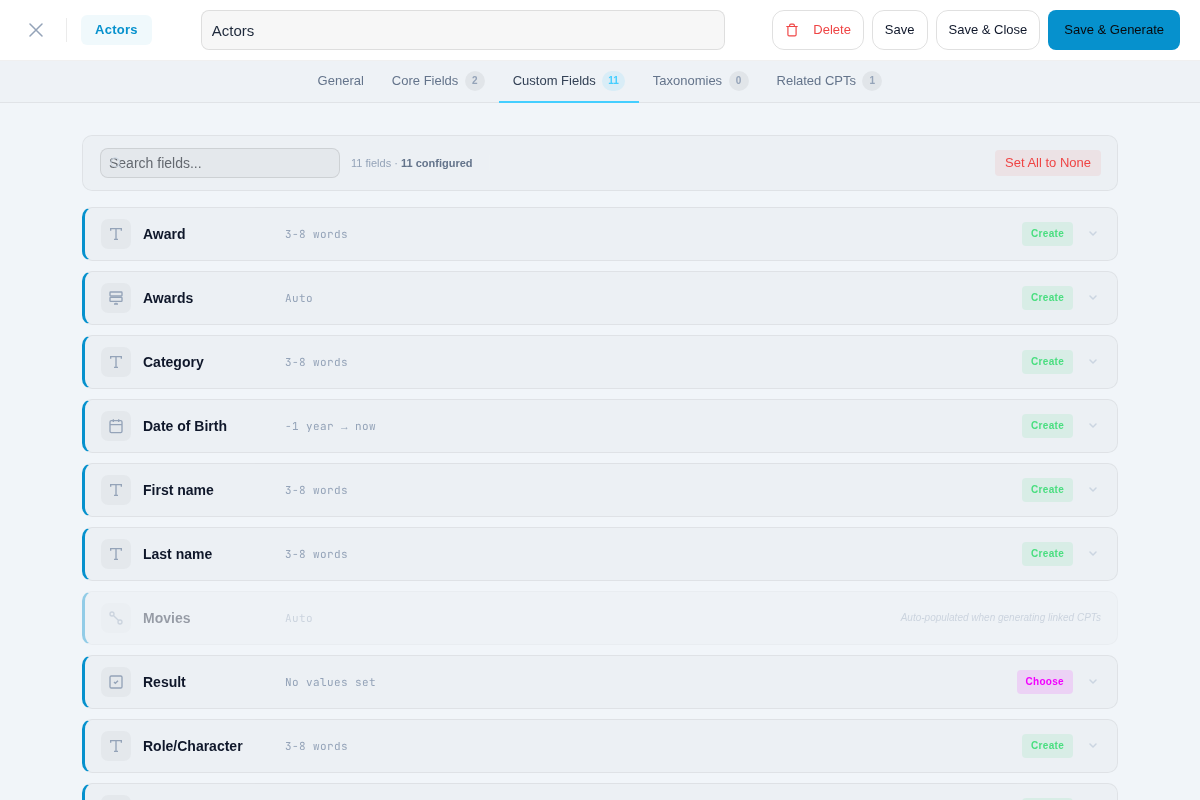
Medium complexity: Your portfolio CPT has ACF fields for client name, project URL, and an image gallery. WPfaker detects those fields automatically and fills them with appropriate data — not random strings, but actual URLs in URL fields, real-looking client names in name fields, and downloaded images in gallery fields. You don’t configure anything. It just works.
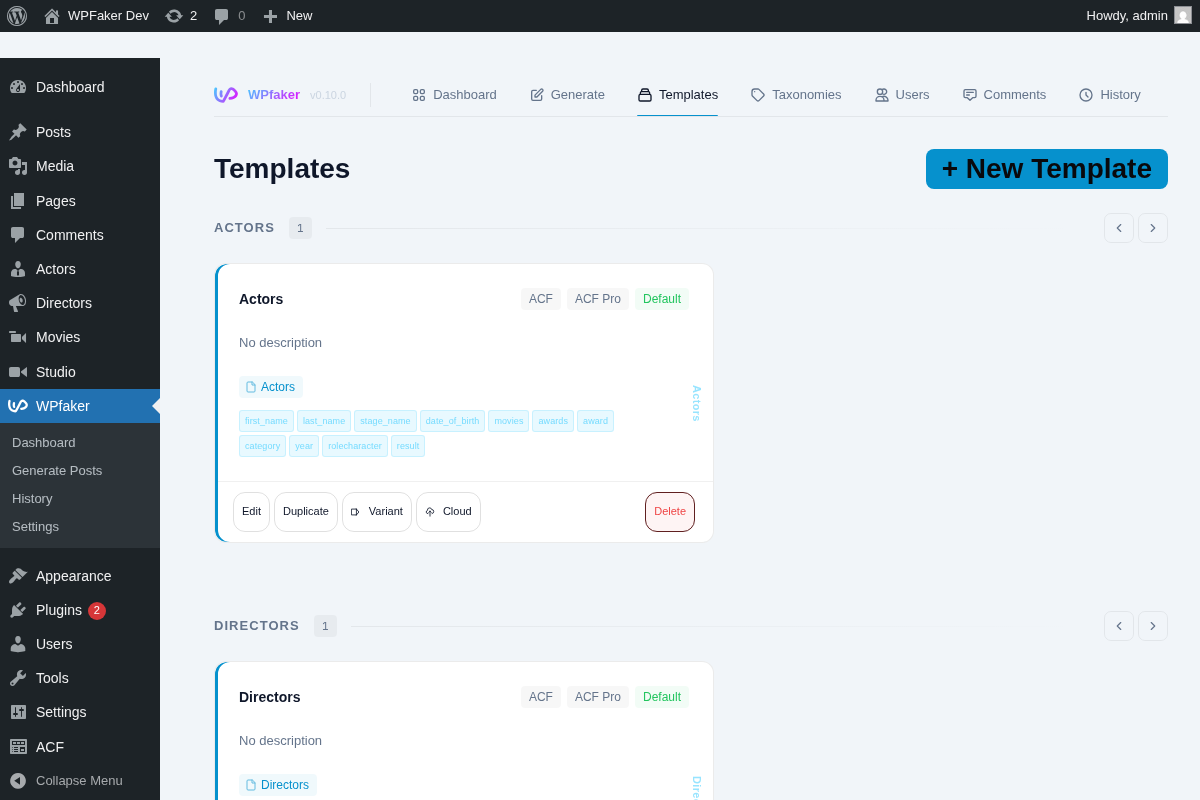
Complex architectures: 8 interconnected CPTs with relational fields, JetEngine meta, and content variations. WPfaker’s 3-pass system builds the dependency graph, generates posts in the right order, and connects everything automatically. You’d spend hours doing this by hand. WPfaker does it in seconds.
Under the hood, you get 119 field detection types, 700+ multilingual regex patterns across 13 languages, optional AI detection (Gemini, OpenAI, or Claude), a template system with inheritance, and 3 image providers (Unsplash, Pexels, Pixabay).
Feature Comparison
| Feature | FakerPress | WPfaker |
|---|---|---|
| Price | Free | $149/year |
| Posts & Pages | Yes | Yes |
| Custom Post Types | Yes | Yes |
| Users | Yes | Yes |
| Comments | Yes | Yes |
| Taxonomies | Yes | Yes |
| Featured Images | Yes (Placehold.co) | Yes (3 providers: Unsplash, Pexels, Pixabay) |
| Custom Fields/Meta | 20 data types | 119 detection types, 700+ patterns |
| ACF Support | Basic meta only | Full (Free + Pro, Repeater, Flexible Content, Gallery, Relationships) |
| JetEngine / Meta Box AIO | No | Yes |
| AI Field Detection | No | Yes (Gemini, OpenAI, Claude) |
| Template System | No | Yes (with inheritance & variants) |
| Relational CPT Resolution | No | Yes (automatic 3-pass) |
| Content Variations | No | Yes (4 profiles) |
| Multilingual Patterns | No | Yes (13 languages) |
| REST API | Yes | Yes |
| History/Cleanup | Delete by FakerPress flag | Full history with stats & safe bulk delete |
| Batch Size | Not specified | Up to 500 (auto-adapts) |
| PHP Requirement | 8.1+ | 7.4+ |
Where FakerPress Shines
Let’s give credit where it’s due.
It’s free. No trial period, no feature gates, no credit card. For side projects, quick prototypes, or when you’re just getting started — zero cost is hard to beat.
It’s battle-tested. A decade of active use means the edge cases have been found and fixed. The plugin is stable, and you’ll find plenty of tutorials and Stack Exchange answers covering common workflows.
It keeps things simple. Need some posts, a few users, and a handful of comments to see how your theme looks with content? FakerPress gets that done in minutes with zero configuration overhead.
Random HTML is actually useful. The truly random content structures FakerPress generates can surface rendering bugs that more structured test data might miss. If your theme needs to handle arbitrary markup gracefully, that randomness is a feature, not a limitation.
If you’re looking for other free alternatives, check out our WPfaker vs WP Dummy Content Generator comparison.
Where You’ll Outgrow FakerPress
This isn’t about feature checklists. It’s about what happens when your project gets real.
Simple FAQ CPT: You register a FAQ post type with a question field and an answer field. FakerPress gives you generic Lorem Ipsum in both. WPfaker detects “question” as a question and “answer” as a text response. Your generated FAQ page actually looks like an FAQ page, not a wall of Latin.
Team Members CPT: You build a simple team page — name, job title, bio, profile photo. FakerPress stores random strings in every field. WPfaker generates actual names, realistic job titles, professional-sounding bios, and downloads real portrait photos. Your team page looks like a real company page, which means you can actually evaluate your layout.
ACF Repeater Fields: You add an ACF Repeater field for product variants — size, color, price per variant. FakerPress doesn’t know what to do with Repeater fields. WPfaker fills each row with appropriate data for each sub-field.
Relational CPTs: You create a Reviews CPT that references Products via a relationship field. FakerPress generates reviews and products independently — the relationship fields stay empty or point to nothing. WPfaker’s 3-pass system builds the dependency graph, generates products first, then creates reviews that actually reference real products.
Event Listings: You register an Events CPT with date fields, venue references, and ticket price ranges. FakerPress gives you random dates — some in the past, some decades from now — with no connection to the venue. WPfaker generates dates within a realistic range, connects events to actual venue posts, and fills price fields with sensible numbers.
Template Reuse: You need the same test data setup across 5 client projects that all use a similar CPT structure. With FakerPress, you start from scratch each time. With WPfaker, your templates carry over. Save once, reuse everywhere.
Multilingual Projects: You’re building a German real estate site. Your field is called kaufpreis. FakerPress has no idea what that means. WPfaker’s multilingual patterns recognize it as a purchase price and generate realistic Euro amounts.
For a comparison with another plugin that targets this middle ground, see our WPfaker vs DemoPress breakdown.
The Real Difference
This isn’t about which plugin has more features. It’s about a fundamental difference in approach.
FakerPress gives you random data. WPfaker gives you appropriate data.
FakerPress fills fields. WPfaker understands fields.
That distinction matters whether you have one CPT or fifteen. A simple blog with realistic-looking articles is more useful for testing than a blog filled with random Latin. A portfolio with actual-looking project names and URLs tells you more about your layout than placeholder strings ever will.
And if you’re wondering how WPfaker’s AI detection compares to other AI-powered generators, we covered that in WPfaker vs Content Forge.
What Happens Next
You have two paths.
You can keep spending 20-30 minutes per project on manual test data — copying placeholder text, uploading dummy images, filling custom fields by hand. It works. It’s just not a great use of your time.
Or you can install a test data plugin and get that time back. If you need something free and straightforward, FakerPress is solid. It’s been solving this problem well for over a decade.
If you want your test data to actually look like the real thing — whether that’s a simple blog, a portfolio site, or a complex multi-CPT architecture — WPfaker is built for that.
Either way, stop being a human Lorem Ipsum machine. You have better things to build.
Frequently Asked Questions
Is FakerPress still maintained?
Yes, FakerPress is still actively maintained. The last update was in May 2025, adding PHP 8.4 compatibility. It has over 10,000 active installs and a strong community. However, development moves slowly — major new features are rare. If you need basic post and user generation, it remains a reliable choice. But don’t expect ACF Repeater support or relational field handling anytime soon.
Does FakerPress support ACF?
FakerPress supports ACF at a basic meta level only — it can write simple values to custom field keys. But it doesn’t understand ACF field types like Repeaters, Flexible Content, Galleries, or Relationship fields. WPfaker provides full ACF integration for both Free and Pro versions, automatically detecting field types and generating appropriate data for each one, including nested and relational fields.
Is WPfaker worth $149?
If you build more than one or two WordPress sites per year with custom post types, WPfaker pays for itself quickly. The time saved on manual test data creation adds up fast — even 30 minutes saved per project across 10 projects is 5 hours back. Factor in realistic content that helps you catch layout bugs earlier, template reuse across projects, and automatic ACF and relational field handling, and the ROI becomes clear.

Written by
Michael Grossklos
WordPress developer and creator of WPfaker. Building tools that make WordPress development faster.